How to organize your schedule and clients at your clinic or consulting practice
From the first booking to the client who comes back: five practical habits for clinics and consultants to manage scheduling, conversations, tasks, and client relationships in one place with FlyB.

In this post
- 1. Choose which time slots your clients see
- 2. Record every conversation in the client's profile
- 3. Turn what you agreed on into a task
- 4. Check the appointment history before every interaction
- 5. Stay in touch with email campaigns
- How it all works together
- Frequently asked questions
- See it in your own routine
If you work by appointment, you know the routine. The day starts with your calendar, moves through a string of client conversations, produces a handful of follow-up promises, and ends with the feeling that something slipped through the cracks. At clinics and consulting practices, the quality of your service depends as much on what happens before and after each session as on the session itself.
In this article, we cover five practical habits for organizing that entire cycle, from the first booking to the client who comes back. We also show how to put each one into practice with FlyB, without spreadsheets, notebooks, or a stack of separate tools.
1. Choose which time slots your clients see
Most booking pages show clients every free slot in the day. It sounds fair, but it comes with a hidden cost. If one client books at 8 a.m. and another at 5 p.m., you spend nine hours on call to deliver two hours of work. If those same two appointments were at 8 and 9 a.m., you would get the rest of the day back.
Scattered appointments leave small gaps that are often too short to do focused work.
In FlyB, how available slots are displayed is a rule you set for each calendar. Clients only see times that are actually free, but not necessarily all of them. You can choose from several display modes:
Sequential ascending: the page always offers the earliest free slot. If someone booked 8 a.m., the next client sees 9 a.m. Appointments stack up from the start of the day and your afternoon stays open.
Sequential descending: the same rule in reverse. It works well if you want your mornings free for deep work and prefer to fill your schedule from the end of the day.
Priority slots first: you choose the times you would rather fill. As long as one of them is available, the others stay hidden.
Nothing is blocked. The page simply offers the slot that fits your routine best instead of showing everything at once. The calendar also syncs both ways with Google Calendar and automatically creates a Google Meet link for online appointments.
2. Record every conversation in the client's profile
Think about the last client you saw. At some point they mentioned something important, like a concern, a deadline, or a personal detail. Where did that information end up?
At many clinics and consulting practices, it lives in a notebook, a phone notes app, or someone's memory. The problem shows up when the client returns and you have to ask again about something they already told you.
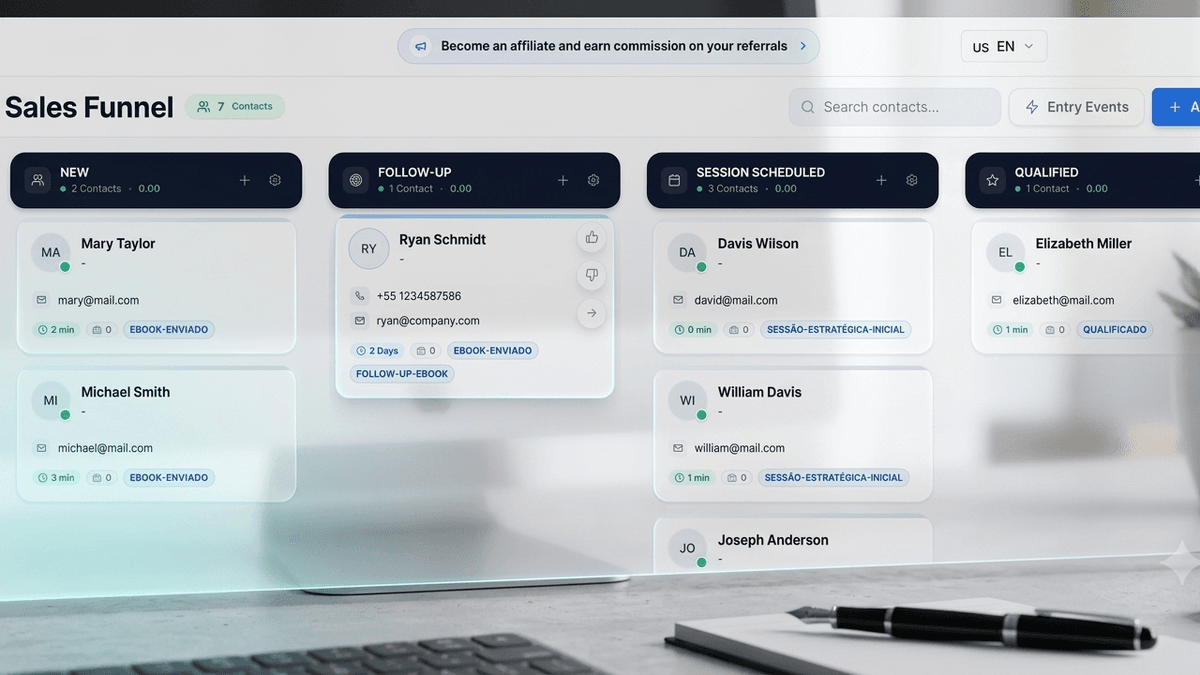
In FlyB, every contact has a profile, and you can add notes to it during the appointment or right after, whichever feels more natural. Before the next meeting, a quick look at the history lets you pick up exactly where you left off. If someone else on your team sees that client, they walk in with the same context you have.
Clients notice when they are remembered, and that is one of the strongest reasons people keep coming back.
3. Turn what you agreed on into a task
"I'll send you the quote by Friday." "I'll email you the instructions." "I'll get back to you next week with the proposal." Almost every conversation ends with a next step, and it is in the time between appointments that some of those steps get lost.
In FlyB, whatever you agreed on becomes a task linked to the client's profile, with a due date. At a consulting practice, after the discovery meeting, you create a "send proposal" task for Thursday. At a clinic, after the initial assessment, you log a reminder to call and confirm the follow-up visit in 15 days. Every morning, you can see what needs to be done today and for whom.
You no longer rely on memory to keep your promises, and clients get what they were promised on time.
4. Check the appointment history before every interaction
How many appointments has this client had with you? When is the next one? In many systems, answering that means scrolling back through your calendar week by week.
In FlyB, each contact profile includes a report of all of that person's appointments, both past and upcoming. That makes it easy to spot clients who have gone quiet, like the patient who used to come in every week and hasn't booked in a month. It also helps you prepare for a contract renewal knowing exactly how many meetings that client has had.
Together with your notes and tasks, this history turns the contact profile into a complete picture of your relationship with each client.
5. Stay in touch with email campaigns
Most clients who stop booking didn't have a bad experience. Often, life just got busy and the next appointment kept getting pushed back. Whoever comes to mind first is usually the one who wins that client back.
Once email sending is set up in your FlyB account, you can stay in touch without writing every message by hand. You can send a follow-up invitation with your booking link to clients who haven't booked in a while, share a useful tip once a month with your client base, or announce a new service to people who already know your work. Since your contacts are already in FlyB, with their history and notes, you decide who receives each message.
How it all works together
Picture a physical therapy clinic. A patient books her initial assessment through the booking page, which offers the first free slot of the morning, and the appointment appears on the therapist's Google Calendar right away. During the session, the therapist adds notes to the patient's profile and creates a task to send the home exercises by the next day. A few weeks later, the history shows the patient has completed eight sessions and hasn't booked another. She then receives an email inviting her back for a reassessment, with a link to pick a time.
At a consulting practice, the path is similar. The client books a discovery meeting, the consultant records the key points of the conversation and creates a task to send the proposal. Before the renewal, the consultant reviews the full meeting history. Between projects, content sent by email keeps the relationship active until the next engagement.
Instead of a calendar in one tool, notes in a notebook, and emails on another platform, the whole cycle happens in one place.
Frequently asked questions
Can FlyB replace my current booking system? Yes. FlyB syncs both ways with Google Calendar, creates Google Meet links automatically, and supports custom booking forms whose answers are saved directly to the contact's profile.
Can clients tell that some time slots are hidden? No. They only see times that are genuinely free. The difference is that the page offers the slots that best fit your routine first, rather than showing them all at once.
Does it work for teams? Yes. Appointments can be distributed among team members by round robin, by earliest availability, or to whoever has the fewest bookings. The number of invited users depends on your plan.
Do I need a separate tool to send emails? No. Campaigns are sent from FlyB itself once you configure an outgoing mail server (SMTP) in your account.
See it in your own routine
If you'd like to see this cycle applied to your business, book a free 30-minute demo, with no commitment: https://book.flyb.app/flyb-demo